Term groups: one policy for many employment terms
Employment terms that share the same setup — the same overtime rules, the same holiday calendar — can now be put in a term group. List the group in your policies instead of every term, and a new term only has to join the group to get everything the group gets.

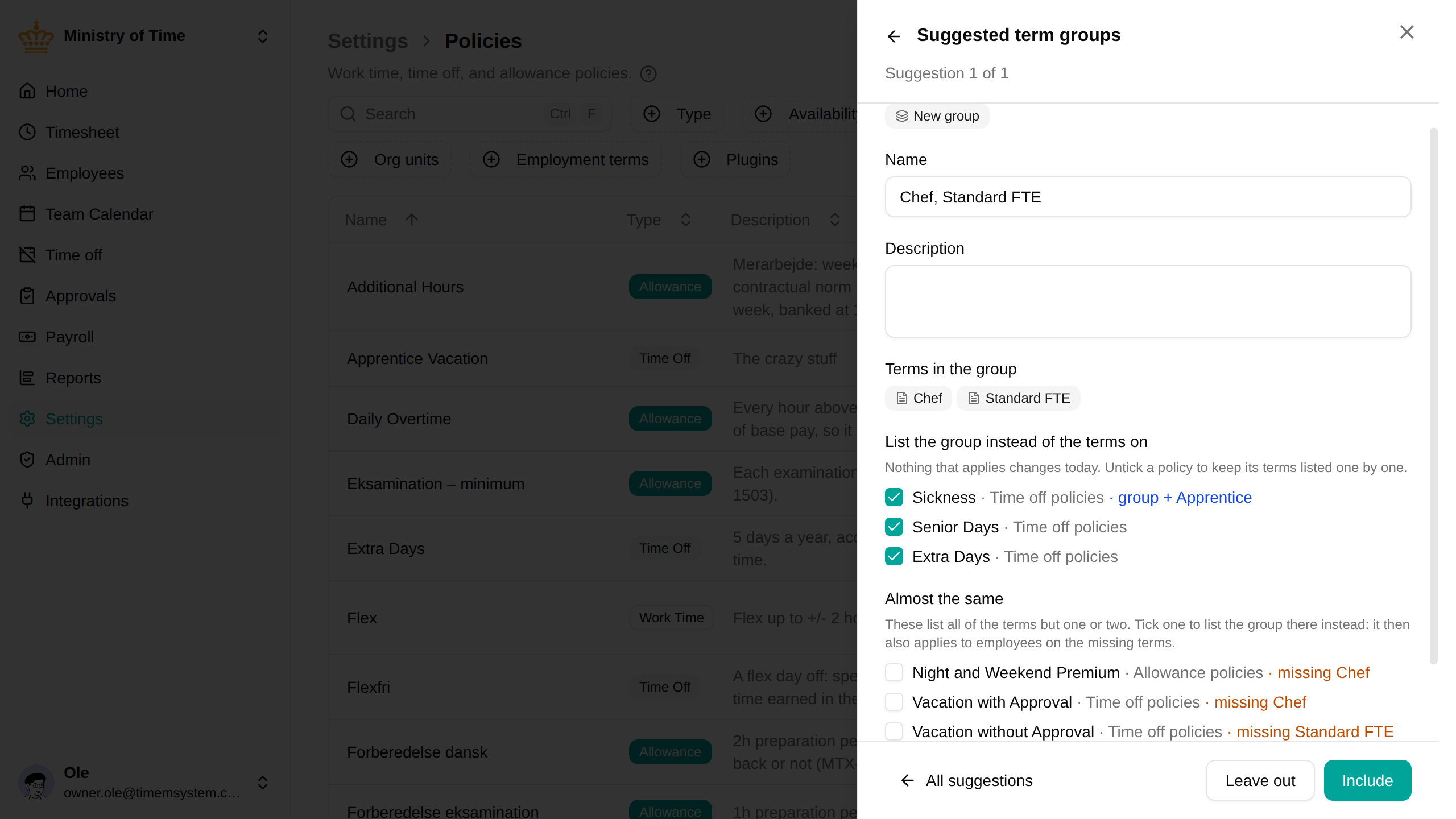
Suggested for you
The Term groups button on and on opens the suggested term groups, and shows how many are new.
- Policies with the same availability are grouped by the terms they share.
- A policy that lists a term or two more lists “group + term”.
- A policy a term or two short shows under Almost the same , unticked. Tick it to list the group there too — it then also applies to employees on the missing terms.
- Review each suggestion, rename it if you like, and apply them all at once. The policies you leave ticked reach exactly the same employees as before.
Groups everywhere you pick terms
- On the term. Pick a term’s groups on its page. Saved with an effective date, the term joins or leaves the group from that date only, and mTime first shows how many employees are affected and which policies start or stop applying to them.
- In availability. Any policy, holiday calendar, reason, activity, project, expense type or advisory can list groups next to individual terms. The most specific policy still wins: a single term beats a group that contains it.
- One side panel per group. Click a group wherever it is shown to rename it, describe it or change its terms.
- No conflicting policies. A change that would leave two policies equally specific for an employee is refused, naming both.
Read more in Term groups.