Choose where each value comes from
You now choose where each value of your employees, employments and org units comes from. Open Integrations and click Attribute mapping.

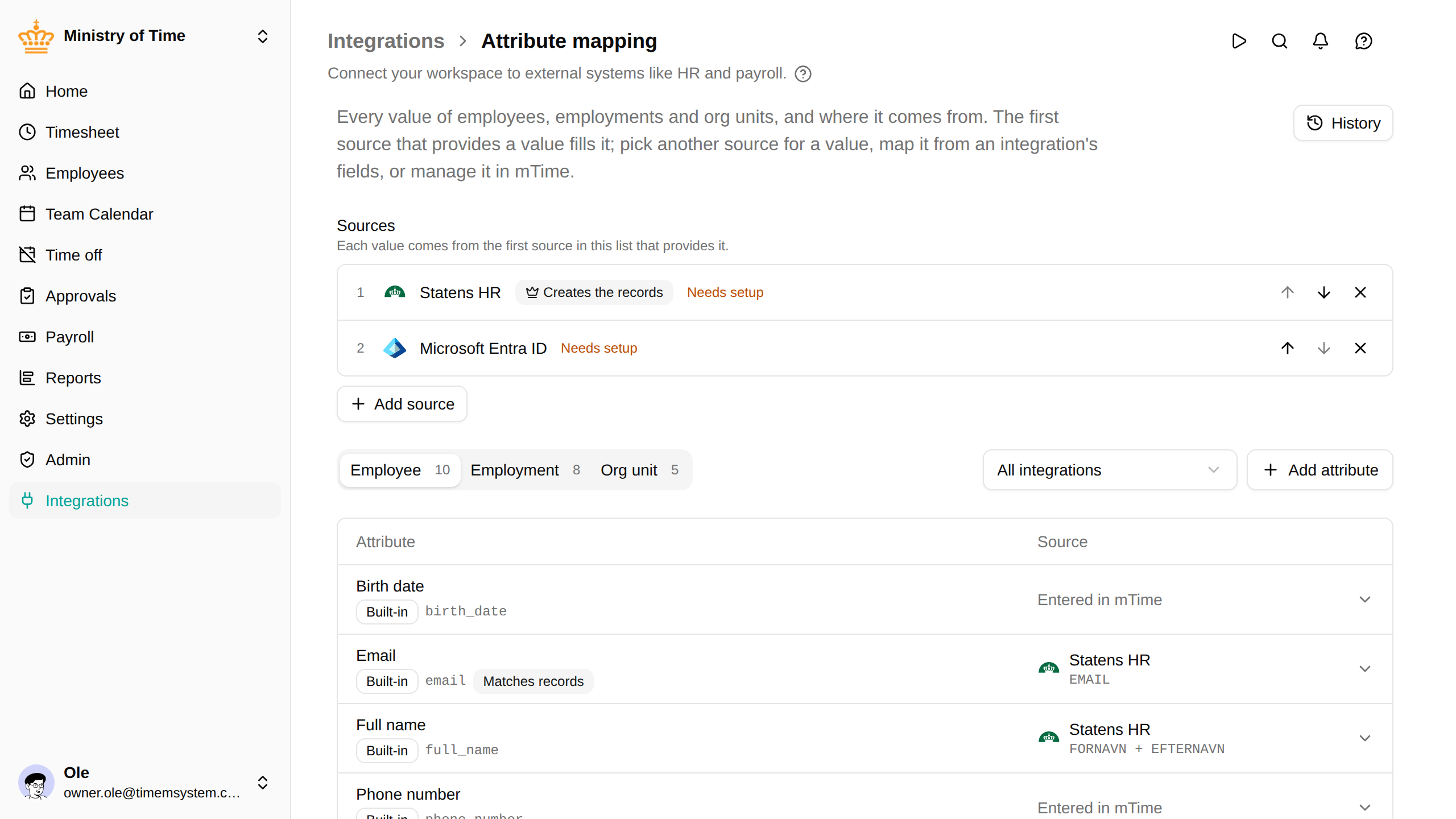
Order your HR sources
Sources lists the HR integrations that send data to mTime. Each value comes from the first source in the list that provides it, and the first one that syncs employees, employments or org units creates those records. Move a source with the arrows, or add one with Add source: its values show straight away, even before it is set up.
Choose the source of a single value
Click a value’s row to pick another source, fill it from one or more of an integration’s fields, or keep it as entered in mTime so no sync overwrites it. Every value shows where it comes from.
See every change
Every save is kept as a version. History shows who changed what and when, and brings back an earlier version.
Read more in Attribute mapping.