Percentage Allocation Fill

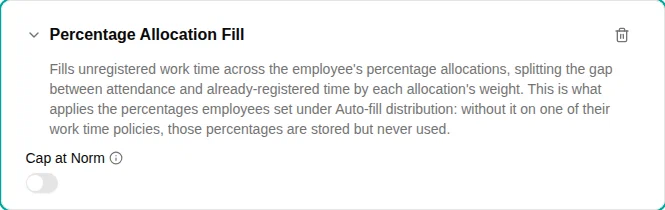
The Percentage Allocation Fill plugin fills unregistered attendance time across several activities, split by weight. It generalises the Default Activity Fill plugin: a single activity at 100 % behaves identically to a default-activity fill.
When to use
Use this plugin when an employee’s checked-in time should be distributed across more than one activity by a fixed ratio — for example, 60 % to one cost centre and 40 % to another — without them registering each entry manually.
The allocation activities and their weights come from the employee’s activity list.
This plugin is what applies those weights. It has to be on a work time policy that covers the employee — otherwise the weights are stored but never used, and the employee’s Auto-fill distribution card shows them read-only with a note that their work time policy does not fill time automatically. Employees who have no weights yet don’t see the card at all until the plugin is on their policy.
Parameters
| Parameter | Description | Required |
|---|---|---|
| Cap at Norm | When turned on, no fill is produced if time already registered meets or exceeds the day’s norm, and the filled amount is capped at the remaining norm. When off, the full unregistered attendance is split. | No |
How it works
- The plugin runs after deduction-style plugins (e.g. Lunch Deduction), so it splits what remains after the lunch has been subtracted.
- It computes the unregistered gap (
attendance − already-registered time) and splits it across the employee’s weighted allocations. Only registrations on Work and Non-Work activities count here — Time Off and Allowance registrations (time off or an allowance in hours) are added on top of the attendance, not subtracted from it. - Weights are taken against a denominator of 100, not against the sum of weights:
60 + 40fills the whole gap, while a lone60fills 60 % of the gap and leaves the rest unregistered. - With Cap at Norm on, the total fill never pushes the day above its norm.
Examples
Split time 60/40 across two activities
- On the employee’s activity list, give the two activities weights of
60and40 - Add the Percentage Allocation Fill plugin to the work time policy
- Their checked-in time is then booked 60/40 across those activities
Fill only part of the attendance
Give the allocations weights that sum to less than 100 (e.g. a single 60) to leave the remainder unregistered for the employee to book manually.
Troubleshooting
| Issue | Solution |
|---|---|
| Only part of the day is filled | The allocation weights sum to less than 100 — that is by design; raise them to 100 to fill the whole gap |
| Nothing is filled | Check the employee has weighted allocations on their activity list and closed attendance for the day |
| Behaves like a single-activity fill | A lone allocation at 100 % is equivalent to Default Activity Fill |
| An employee sees “Your work time policy does not fill time automatically” on their activities | This plugin is not on any work time policy that covers them, so their weights are stored but never applied. Add it to their policy — the card becomes editable and the split takes effect from the next check-out |
| An employee can’t find the Auto-fill distribution card | With no weights stored and no fill plugin on their policy the card is hidden. Add this plugin to their work time policy first — the card then appears |