Auto-register norm time

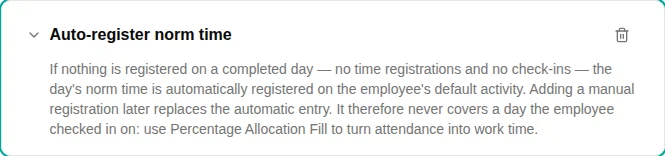
The Auto-register norm time plugin fills the day’s expected norm time on the employee’s default activity for completed days the employee left entirely empty — no time registrations and no check-ins.
When to use
Use this plugin for employees who are expected to work their norm every scheduled day and shouldn’t have to register anything on ordinary days — only exceptions (time off, overtime) need manual entry. Empty scheduled days are then filled with the norm automatically.
Parameters
This plugin has no configuration options — adding it to the policy turns the behaviour on.
How it works
- A nightly job checks each completed scheduled day for the employee.
- If the day has no registrations and no check-ins, the day’s norm time is registered on the employee’s default activity (resolved from their activity list).
- The fill is written as an ordinary registration, not an auto-managed one: once created it is the employee’s own entry. They can edit or delete it, and registering time on another activity later never removes it.
Because the entry is a normal registration, a day the employee has already touched (a check-in, time off, or any manual entry) is never auto-filled.
This means the plugin never turns attendance into work time: a day with a check-in is left exactly as the employee registered it. To have checked-in hours booked onto activities automatically, use Percentage Allocation Fill (or Default Activity Fill) — the two can sit on the same policy.
Examples
Salaried staff on a fixed schedule
- Add the Auto-register norm time plugin to the work time policy
- Make sure each employee has a default activity on their activity list
- Empty scheduled days are filled with the norm overnight; employees only register exceptions
Troubleshooting
| Issue | Solution |
|---|---|
| A day wasn’t filled | The day already had a registration or check-in, so it is left untouched by design; or the employee has no default activity |
| The fill didn’t update after I registered elsewhere | Expected — the norm fill is a normal registration and is not retracted when other time is added |
| Nothing happens on the current day | The fill runs overnight for completed days only |
| Days with a check-in get no work time | Expected — this plugin only fills days with no check-in at all. Add Percentage Allocation Fill to book attendance onto activities |