Default Activity Fill

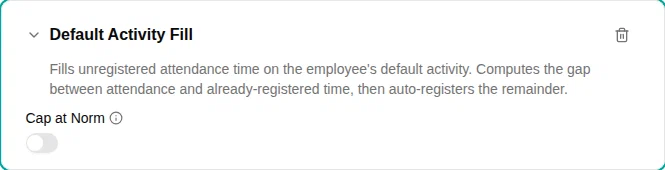
The Default Activity Fill plugin registers unregistered attendance time on the employee’s default activity, so the worked total matches the time they were actually checked in. It computes the gap between attendance and time already registered on other activities, then auto-registers the remainder on the default activity.
When to use
Use this plugin when employees check in and out but shouldn’t have to also register what they worked on — the remaining time is automatically booked on their default activity. Employees with a single work activity are the typical case.
The employee’s default activity is resolved from their activity list.
Parameters
| Parameter | Description | Required |
|---|---|---|
| Cap at Norm | When turned on, no fill is produced if time already registered on other activities meets or exceeds the day’s norm, and the filled amount is capped at the remaining norm. When off, the full unregistered attendance is filled. | No |
How it works
- The plugin runs after deduction-style plugins (e.g. Lunch Deduction), so it fills what remains after the lunch has been subtracted rather than double-counting attendance.
- It computes
attendance − time already registered on other activitiesand registers that remainder on the default activity. Only registrations on Work and Non-Work activities count here — Time Off and Allowance registrations (time off or an allowance in hours) are added on top of the attendance, not subtracted from it. - With Cap at Norm on, the fill never pushes the day above its norm.
- A manual entry on the default activity overrides the fill — no automatic entry is produced.
An open check-in (not yet checked out) does not block the fill: it covers the completed attendance now and grows on re-evaluation once the employee checks out.
Examples
Book all attendance to one activity
- Add the Default Activity Fill plugin
- Leave Cap at Norm off so the full checked-in time is booked
- Make sure the employee has a default activity on their activity list
Never exceed the daily norm
- Add the Default Activity Fill plugin
- Turn on Cap at Norm
Troubleshooting
| Issue | Solution |
|---|---|
| Nothing is filled | Check the employee has a default activity on their activity list, and that there is closed attendance for the day |
| Fill is smaller than expected | Time already registered on other activities (including a lunch deduction) is subtracted first; with “Cap at Norm” on, the fill also stops at the norm |
| A manual value isn’t being overwritten | This is by design — a manual entry on the default activity replaces the fill |