Auto-register check-in/out

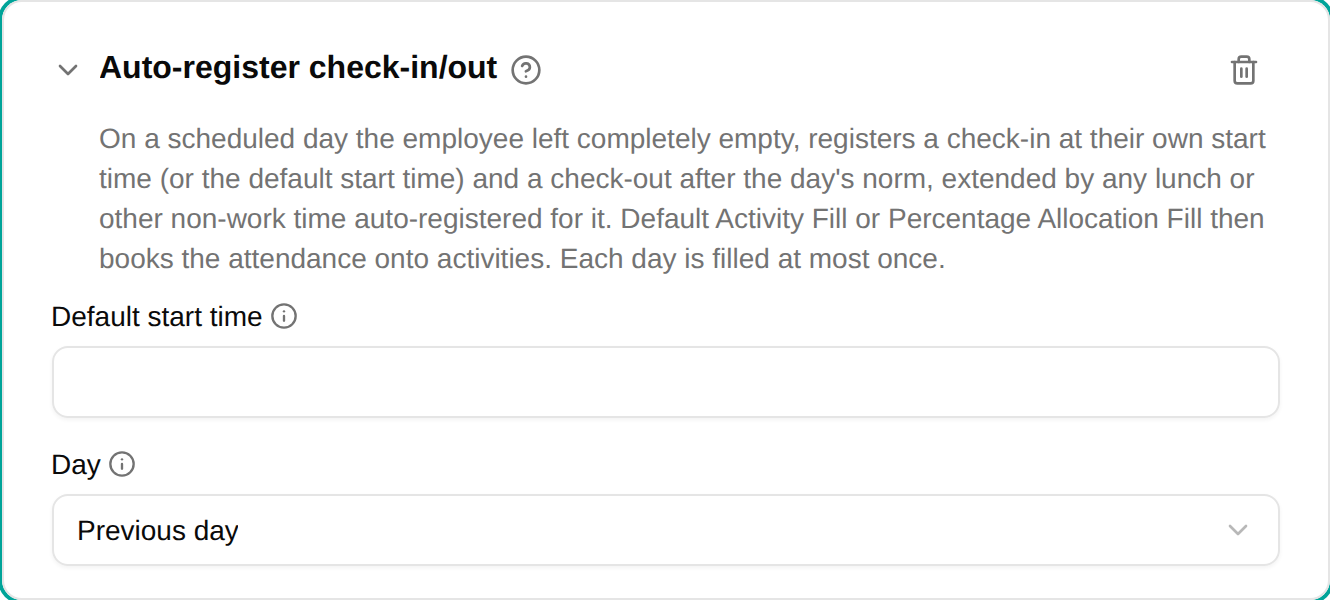
The Auto-register check-in/out plugin checks employees in and out automatically on scheduled days they left completely empty — no time registrations, no time off and no check-ins. The day then counts its full norm, booked onto activities exactly as if the employee had checked in and out themselves.
When to use
Use this plugin for employees who simply work their normal hours and shouldn’t have to check in and out every day. They only register the exceptions — time off, a different working day — and every other day is checked in for them.
Parameters
| Parameter | Description | Required |
|---|---|---|
| Default start time | The check-in time (HH:MM) for employees who haven’t set their own. Leave it empty to check in only the employees who set a time themselves. | No |
| Day | Which day each nightly run checks in: the previous day (default) or the current day, registered up front. | No |
How it works
- A nightly job looks at each scheduled day of the employee that is still completely empty and not part of a submitted or approved timesheet.
- Check-in is at the employee’s own start time if they have set one, otherwise at the Default start time . With neither, the day is left alone.
- Check-out is the check-in plus the day’s norm, extended by any unpaid time the policy deducts for that day — for example a lunch deduction whose trigger is met. The worked time therefore equals the norm. A day may run past midnight (20:00 → 04:00); it counts on the day the employee checked in.
- The check-in/out is then booked onto activities by Default Activity Fill or Percentage Allocation Fill, like any other attendance — add one of them to the same policy.
- The check-in/out is an ordinary registration: the employee can edit or delete it. Until they edit it, it carries a small wand marker in the timesheet.
- Each day is filled at most once. If the employee deletes the automatic check-in/out — for example to register time off instead — the day is never filled again.
With Day set to the current day, the whole day is registered in the night before it happens. An employee who then checks in themselves has to remove the automatic check-in/out.
On a policy that also has Auto-register norm time, the check-in/out comes first; norm time fills only the days this plugin leaves empty (no start time). On a policy with the Check in/out not used constraint, no check-in/out is registered and norm time fill takes the day instead.
The employee’s own start time
When their policy has this plugin, employees see a Check-in time field under Automatic in . One time applies to every weekday; leaving it empty uses the Default start time .
Example
Norm 7h24, default start time 08:00, a 30-minute lunch deduction → checked in 08:00, checked out 15:54, 7h24 worked. An employee who set 07:00 is checked in 07:00 and out 14:54.
Troubleshooting
| Issue | Solution |
|---|---|
| A day wasn’t checked in | The day already had a registration, time off or check-in; or the employee has no start time and the plugin has no Default start time ; or the day is in a submitted timesheet |
| A deleted check-in/out didn’t come back | By design — a day is filled at most once, so the employee can register time off instead |
| The check-in/out isn’t booked onto an activity | Add Default Activity Fill or Percentage Allocation Fill to the policy, and give the employee a default activity — or set a Fallback activity on the fill |
| The check-out is later than start + norm | The policy’s lunch deduction (or other unpaid time) was added so the worked time still equals the norm |