Time accounts
Time accounts are the balances that track accrued and consumed time — vacation days, flex hours, time bank hours, and similar. Policies add to and draw from these accounts so employees and managers always see an up-to-date balance.

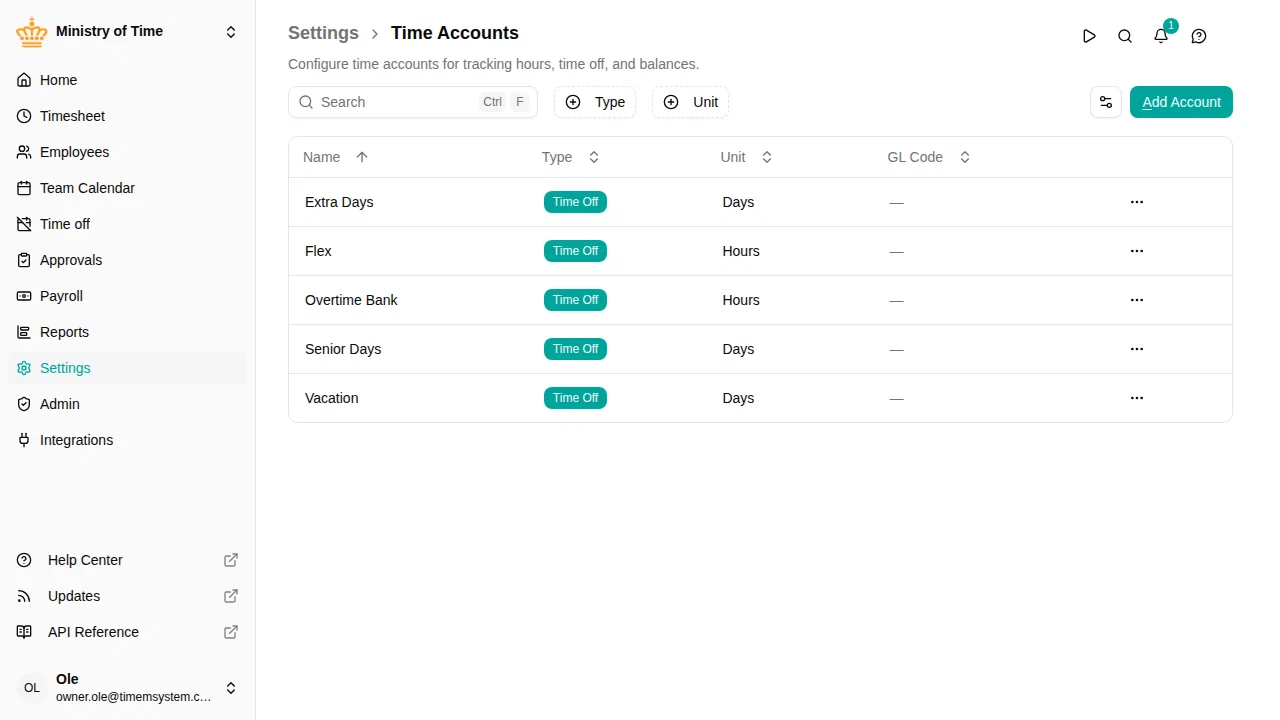
Overview
An account defines what kind of balance it holds and the unit it’s measured in. Time off policies and settlement policies reference accounts to record what an employee earns and uses, and the employment terms name the flex account.
Each account carries:
- Name and description
- Type — Time off or Allowance
- Unit — Days or Hours
- GL code (optional) — a general-ledger code for payroll and accounting exports
- Hide from employees (optional) — keep this account off the employee dashboard and timesheet balance cards
Manage time accounts
Configure an account
- Name — the label shown on balances and statements
- Description — optional details
- Type — Time off for balances that can be taken as time off — vacation, and usually also flex and time banks. Allowance for other balances of hours that are never taken as time off
- Unit — Days or Hours. Time off accounts default to days and Allowance accounts to hours, but you can change this when creating the account.
- Scale time off with work pattern — (day-based accounts only) for part-time schedules, a working day off draws a larger share of the fixed entitlement, so a full week off always costs the same number of days (Danish statutory vacation)
- GL Code — optional general-ledger code carried into exports
- Hide from employees — turn on to keep this account off the employee dashboard card and the timesheet period card
What employees see
The employee’s flex account and the time banks their settlement policies feed (such as comp time) appear automatically on the employee’s dashboard card and the timesheet period card, whatever the account’s type, each showing the current balance and the period’s movement. Balances that only time off policies manage, like vacation, keep their own views and are not listed there. Turn on Hide from employees to keep a specific account — for example an internal accumulator — off these views.
Using accounts in policies
An account only fills with a balance once a policy is attached to it. Set up accrual and consumption rules on your time off policies and settlement rules on your settlement policies, which then post to the accounts you’ve defined here.