Settlement policies
A settlement policy decides what happens to an employee’s time account at the end of each approval period — how much of the period is credited and at what rate, whether any of it is paid out, and how high the balance is allowed to grow. It runs once per period, after the timesheet is settled.
Settlement is where the different kinds of earned time come together. A policy can credit plain flex, add overtime at a premium, fold in additional hours and other inconvenience allowances earned during the period — each at its own rate — then cap the balance and pay out or carry the rest.

Overview
Most workspaces only need plain flex: the period’s difference between worked and expected hours (the delta) is added to a flex account and carries forward. That happens automatically as soon as an employee has a flex account — no settlement policy required.
You add a settlement policy when the agreement needs more than plain carry-forward — for example:
- credit overtime at a premium rate (×1.5) while crediting ordinary additional hours at base rate,
- add an inconvenience or on-call allowance earned in the period to the same account,
- cap the balance and pay out or forfeit the surplus,
- let employees request a payout at submit time.
When a settlement policy targets an account, the policy is the single source of truth for that account — the automatic carry-forward is switched off, so nothing is counted twice.
Getting started
- Go to
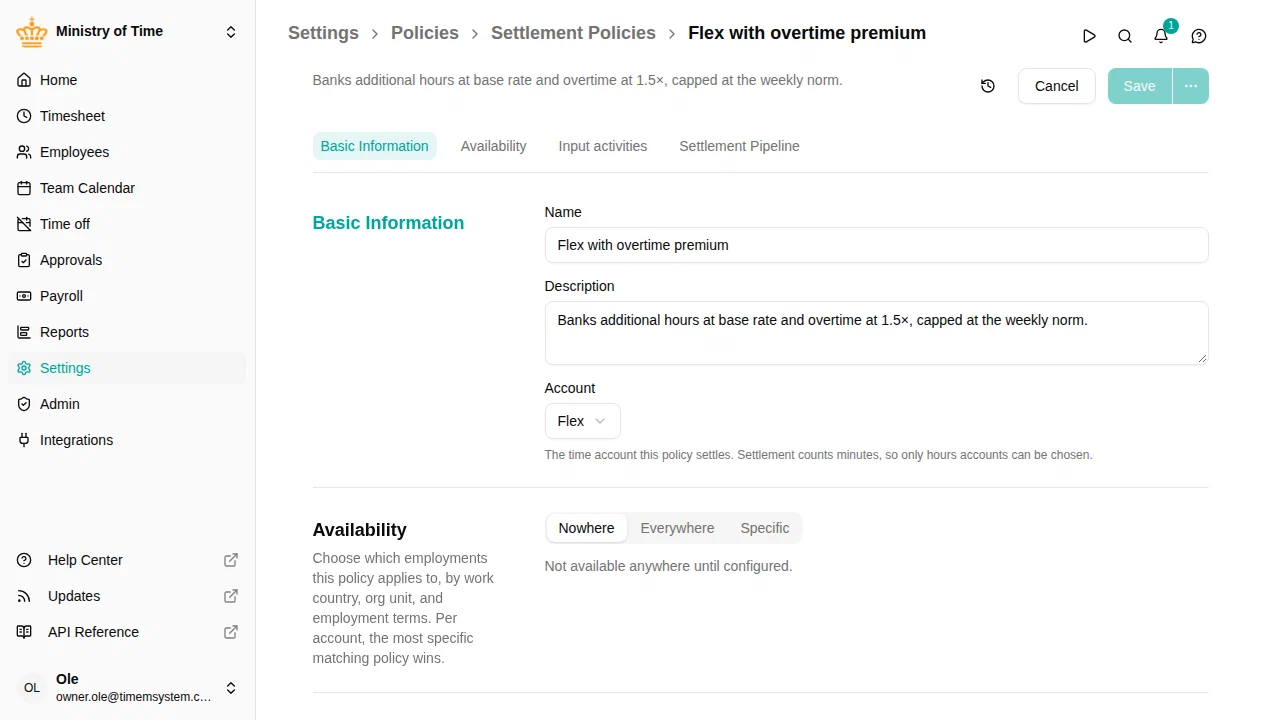
- Click Add Policy and choose Settlement Policy
- Give it a name (for example, Flex with overtime premium)
- Pick the account the policy settles (the employee’s flex account)
- Add the input activities the steps will use (see below)
- Add one or more steps, in order
- Under Availability , choose the work countries, org units or employment terms the policy applies to — per account, the most specific matching policy wins
- Click Save
Input activities
Steps that credit the account from earned amounts — the counters such as Additional hours and Overtime, or any allowance activity — refer to those activities by a short alias rather than by name. You declare each alias once on the policy:
| Field | Meaning |
|---|---|
| Alias | A short label used in expressions, for example mer or over |
| Activity | The activity whose period total the alias stands for |
Using aliases keeps expressions readable and lets a workspace be exported and re-imported without rewriting every policy by hand.
The settlement pipeline
The policy runs its steps in the order you list them. Crediting steps add to the account first; cap and payout steps then adjust the result. See Settlement steps for the full list and the configuration of each step.
How it relates to the other policies
- The flex account is set on the employment term and is the account the policy settles.
- The allowance counters produce the period totals (additional hours, overtime, …) that a Credit (expression) step combines.
- The work time policy still tracks the daily flex difference; settlement only decides what is credited at period end.
Troubleshooting
| Issue | What to check |
|---|---|
| Flex is credited twice | An account fed by a settlement policy must not also rely on automatic carry-forward — that is handled for you, but confirm only one policy targets the account for that employee (the resolved configuration on the employment term shows which one applies) |
| An expression returns nothing | Check that every alias it uses is declared under Input activities with the right activity |
| Overtime not credited at the premium | Confirm the Credit (expression) step multiplies the overtime alias by its factor (e.g. over * 1.5) |
| Surplus disappeared | A cap step may be forfeiting it — check the cap ceiling and its disposition |