Reasons
Reasons are short labels employees can attach to a time registration to explain it — useful for documenting non-standard entries and for reporting. You decide what each reason requires and who can use it.

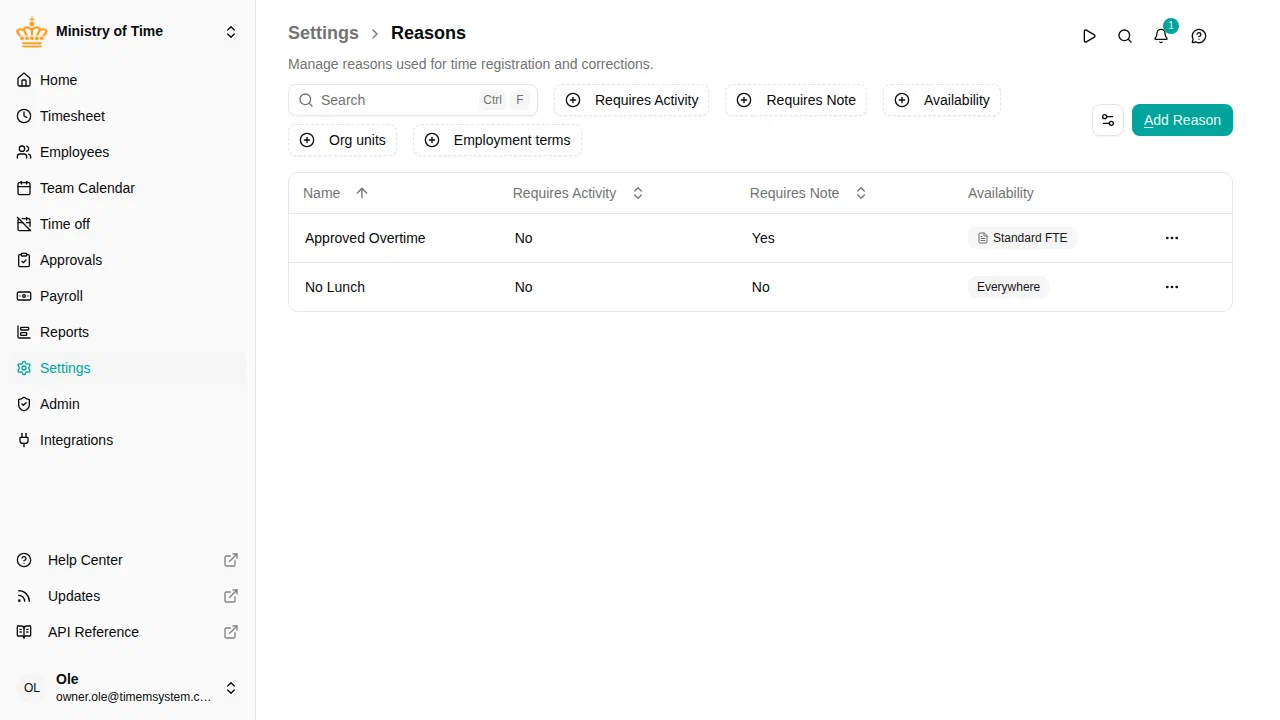
Overview
When a reason is available on a registration, the employee can pick it and — depending on how it’s configured — may be prompted to add an activity or a note. This helps capture consistent, searchable context behind entries.
Each reason carries:
- Name — what employees see when picking a reason
- Requires activity — whether an activity must be chosen alongside the reason
- Requires note — whether a note must be entered
- Exclude from work time — whether presence booked under this reason counts toward worked hours
- Availability — which employees can pick it, by work country, org unit and employment terms
Manage reasons
Configure a reason
Basic information
- Name — the label shown to employees
Behavior
These settings control what employees must provide when using the reason:
- Requires Activity — when on, an activity must be selected together with the reason
- Requires Note — when on, a note must be entered
Exclude from work time
Turn on Exclude from work time for presence that should be recorded but not counted as worked hours — the typical case is on-call standby (rådighedsvagt), where an employee is on call but not actively working.
When a check-in/out registration carries such a reason:
- it is not added to worked hours, so it does not affect the flex balance, additional hours, or overtime;
- it is still shown as check-in/out presence on the timesheet;
- it still earns its allowance — for example an on-call standby premium — because allowance policies are triggered independently by the reason.
This lets you pay a standby bonus for the hours on call without those hours inflating the employee’s worked time or flex.
Availability
Choose which employees can pick the reason:
- Everywhere — every employee can use it.
- Specific — only employees whose employment matches the work countries, org units or employment terms you list. Use Add exception to carve a group back out.
- Nowhere — nobody can use it. A new reason starts here, so it reaches no one until you give it an availability.
Every reason that matches an employee is offered to them.