Holiday calendars
Holiday calendars define the public holidays that apply to your employees. When a day is marked as a holiday, the employee’s expected work time is reduced or canceled for that day, which is reflected in balances, reports, and payroll exports.

Overview
Each holiday calendar contains one or more plugins, each contributing a set of holiday dates for a given year. mTime includes built-in plugins for Danish, French, and Swedish national holidays, a generic Christian holidays plugin, and a custom days plugin for manually defined dates.
Each calendar carries its own Availability — the work countries, org units and employment terms it applies to — so you control from the calendar itself which holidays reach which org units or employment terms. Where several calendars match an employment, the most specific one wins. See Calendar assignment below.
Managing holiday calendars
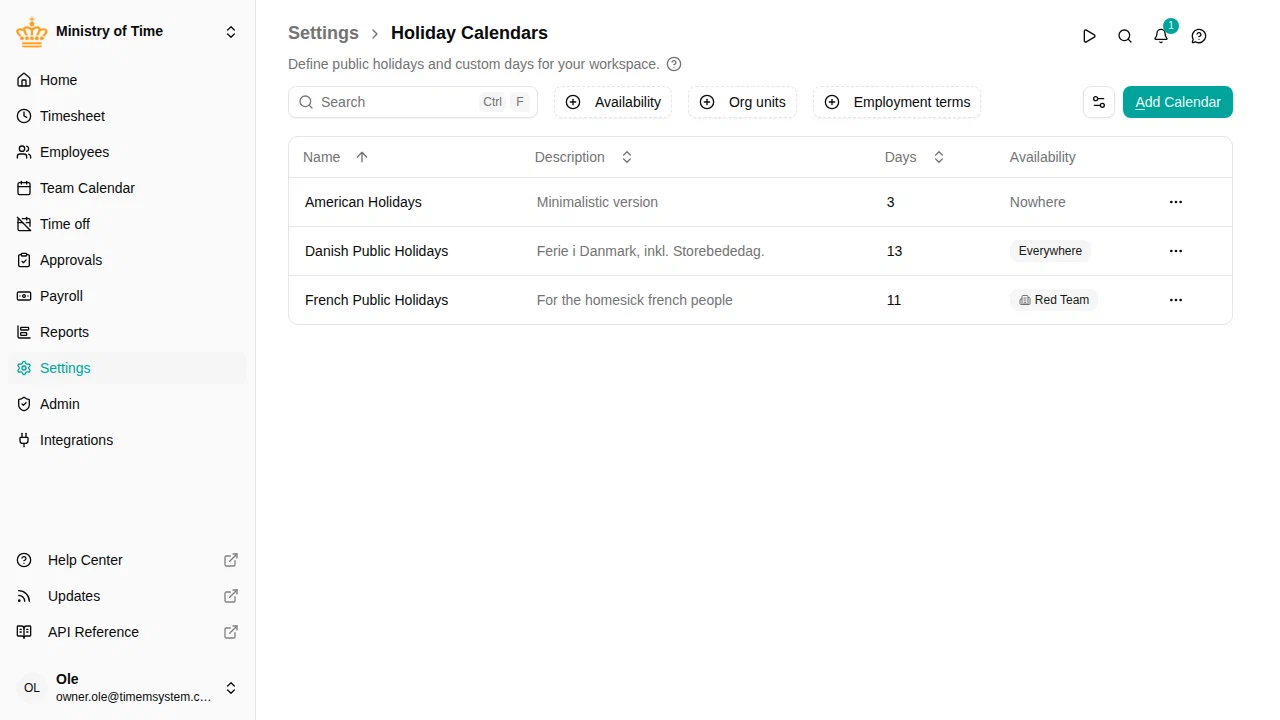
Go to to view all holiday calendars in your workspace.
Each row in the list shows the calendar’s name, description, and the number of holidays it generates for the current year.
From the action menu on any row, you can:
- Edit — Open the calendar configuration
- Copy — Duplicate the calendar with all its plugins
- Delete — Remove the calendar from the effective date onwards
Creating a holiday calendar
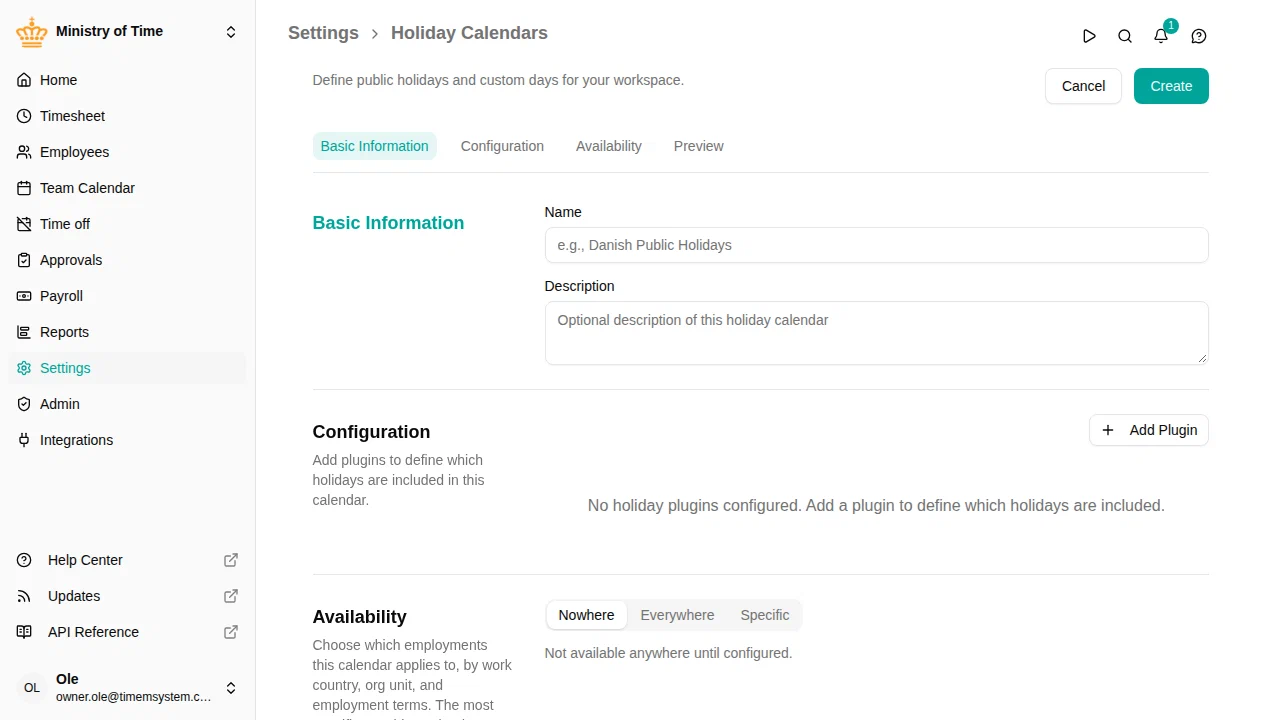
- Go to
- Click Add Calendar
- Enter a Name and an optional Description
- Under Configuration, add one or more plugins to define which holidays are included
- Review the resolved holidays for the current year in the Preview section
- Under Availability, choose which employments the calendar applies to
- Click Save
A new calendar starts scoped to Nowhere, so it affects no one until you give it an availability.

Plugins
A holiday calendar can include multiple plugins. Each plugin contributes its own set of holiday dates, and any duplicates across plugins are merged automatically.
Danish Public Holidays
Generates standard Danish public holidays for each year. Individual holidays can be turned on or off — for example, you can include Labour Day (1 May) or New Year’s Eve only if they are relevant to your organization.
French Public Holidays
Generates standard French public holidays, including Bastille Day, Assumption of Mary, and Armistice Day. The Good Friday option is available for organizations in Alsace-Moselle.
Swedish Public Holidays
Generates standard Swedish public holidays, including Epiphany, National Day (6 June), Midsummer, and All Saints’ Day. Midsummer Eve and Midsummer Day, as well as All Saints’ Day, automatically land on the correct Friday or Saturday each year. The eves (Midsummer Eve, Christmas Eve, and New Year’s Eve) are included by default since most Swedish workplaces treat them as days off, and each can be turned off individually. Whit Monday is available as an option for organizations that still observe it.
Some collective agreements shorten the working day on certain holiday eves (helgdagsaftnar). The plugin offers four such reduced eves as half-days — Trettondagsafton (5 January), Maundy Thursday (Skärtorsdag), the day before All Saints’ Day, and 23 December. They are off by default and can be turned on individually per calendar; the Easter- and weekday-dependent ones move to the correct date each year. For reductions other than a half-day (for example 2 hours), or for eves not listed here, use the Custom days plugin instead.
Christian Holidays
A flexible set of Christian holidays not tied to a specific country. Use this plugin when your country is not covered by a built-in national plugin. You can choose from Easter, Ascension Day, Whit Monday, Christmas Day, Boxing Day, and more.
Custom Days
Define your own one-off or recurring holidays manually. Each custom day includes:
- Name — A label for the holiday (e.g., “Company Day”)
- Date — The specific date
- Recurring — When turned on, the holiday repeats every year on the same day and month
- Factor (%) — Optional. A partial holiday: the expected work time as a percentage of normal hours (e.g., 50 for a half-day)
- Max time — Optional. Caps the expected work time for the day at a fixed duration
Leave both Factor (%) and Max time empty for a full holiday, where expected work time is zero. Use one or the other, not both.
Preview
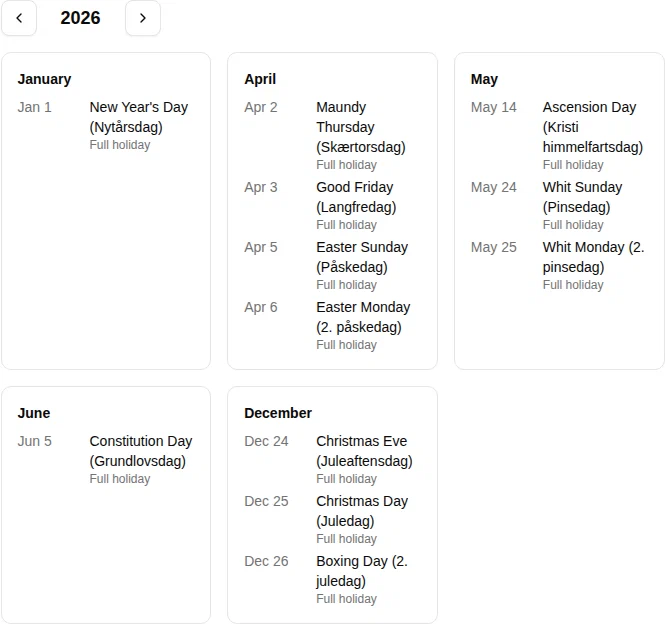
The Preview section shows all resolved holidays for the current year, based on the configured plugins. Use it to verify the complete list before saving. Any changes to plugins are immediately reflected in the preview.

Calendar assignment
Each calendar decides for itself which employments it covers, in the Availability section of the calendar form. Choose which employments the calendar applies to by work country, org unit, and employment terms.
- Nowhere — the calendar applies to no one. New calendars start here, so a calendar you are still building never affects anyone.
- Everywhere — the calendar applies to every employment.
- Specific — the calendar applies only to the work countries, org units and employment terms you list. An org unit includes its sub-units.
You can also add exceptions, to carve specific countries, units or terms back out of a match.
The most specific matching calendar wins: a calendar scoped to one org unit beats one scoped to the whole country. An employment that no calendar matches simply has no holiday calendar, and no holidays are applied to it.
Changing who a calendar applies to
Changing a calendar’s Availability changes which employees get its holidays — and therefore their expected work time. To keep that from rewriting periods that are already closed and settled, this change is effective-dated:
- A change takes effect from the date you choose, going forward.
- Periods before that date keep the calendar they already resolved. Balances, reports and payroll exports for those periods are untouched.
- Past dates are not allowed. Because the availability decides which calendar every historical period used, back-dating it would silently change expected hours — and flex and overtime balances — for time that has already been approved and paid.
To schedule a change:
- Open the calendar and edit it — including its Availability
- Click the dropdown arrow next to Save and select Schedule
- Pick the date the change should take effect
- Click Schedule
The calendar is left as it is until that date arrives; the whole change — name, description, holidays and availability — is applied together on the effective date. A pending change is shown by a highlighted clock icon in the header, and can be cancelled from the history drawer before it takes effect.
Saving normally, without scheduling, applies your changes immediately.
For the full picture of how scheduling works across mTime, see Scheduled and retroactive changes.
Calendar history
Every change to a holiday calendar is recorded. Click the clock icon in the calendar header to open the history drawer and see what changed, who changed it, and when it took effect.
Calendars that existed before this feature was introduced show a single Created entry as their starting point.
Deleting a calendar also takes effect from the moment you delete it: periods before that keep the calendar and its holidays, rather than losing them retroactively. Calendars deleted before this feature was introduced are unaffected and remain absent from all periods.
Fixing the holidays in a calendar — adding a missing day, correcting a date — is different: those corrections apply to past dates too, because they fix what was always true. Only who the calendar applies to is effective-dated.