Percentage
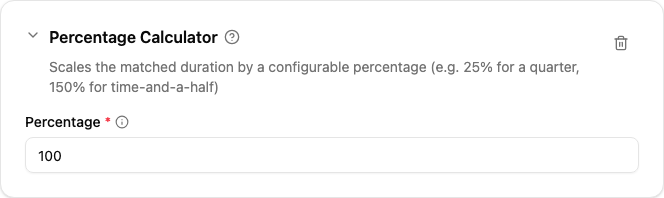
The Percentage calculator scales the matched duration by a configurable percentage. It is the standard way to express premium rates such as “+50 % for evening work”, “time-and-a-half for Sundays” or “double-time on public holidays”.

When to use
Use this calculator whenever the agreement pays a multiple (or fraction) of the regular rate for the qualifying time. Common values:
| Agreement says | Percent |
|---|---|
| Pay only the supplement (25 %, 33 %, 50 %, …) | 25, 33, 50 |
| Pay the same as regular (no premium) | 100 (or use Minutes) |
| Time-and-a-half | 150 |
| Double-time | 200 |
| A quarter (e.g. tea-break supplement) | 25 |
Parameters
| Parameter | Description | Required |
|---|---|---|
| Percentage | Multiplier applied to the matched duration, in percent. 100 means “as-is”, 25 a quarter, 150 time-and-a-half. Must be between 0 and 1000. | Yes |
How it works
The calculator sums the durations of every range that survived the rule’s filters, multiplies the total by the configured percentage and divides by 100. The result is truncated to whole minutes.
For example, a rule that matches 70 minutes with Percentage set to 150 yields 70 × 150 / 100 = 105 minutes.
Combining several rates
The percentage applies to all minutes the rule’s filters returned. To pay different rates on different sub-windows (e.g. 50 % between 17:00 and 22:00, then 100 % between 22:00 and 06:00), use two rules in the same policy — each rule with its own filter window and its own percentage. The first rule consumes its minutes and the second rule sees only the leftover ranges, so a minute is never double-counted within a policy.