VOM (Visma)
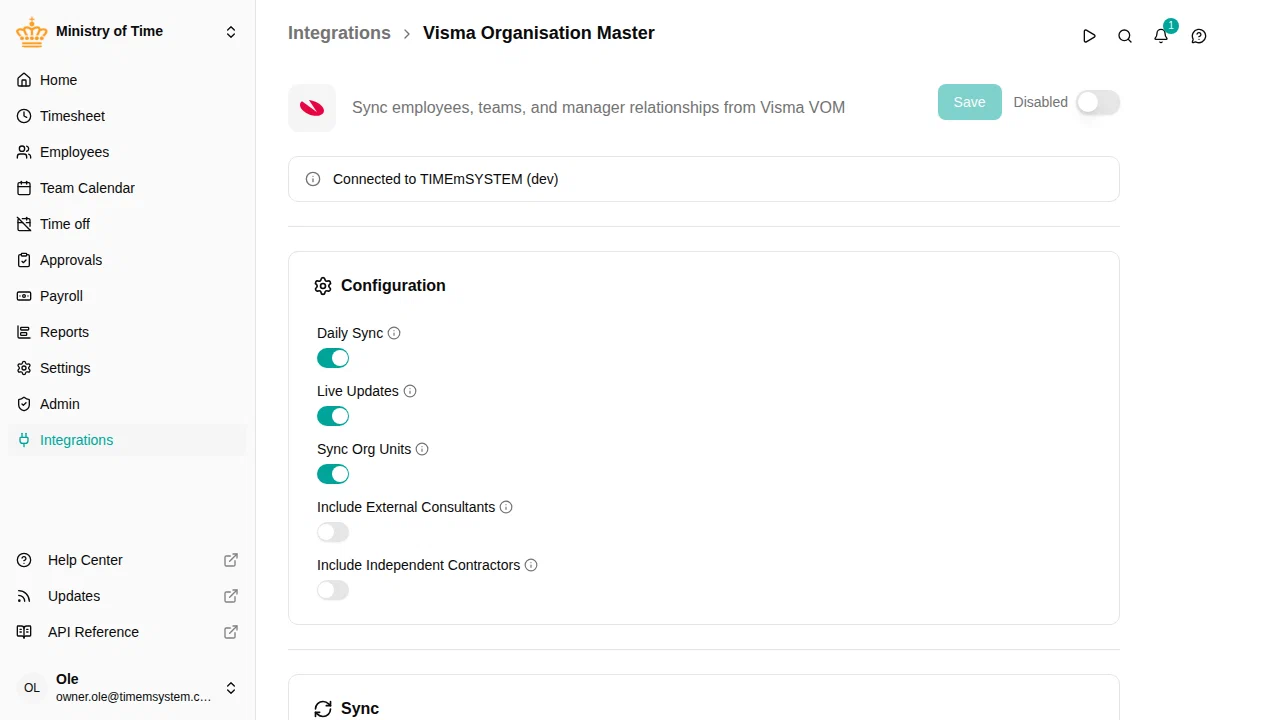
The VOM integration connects mTime with Visma Organisation Master, Visma’s central employee and organization data service. It syncs employees, employments, org units, and managers via the Visma API.

What it syncs
The integration imports the following data from VOM into mTime:
- Employees — Name, email, and personal details
- Employments — Job title, start and end dates
- Org units — Department structure and hierarchy (can be turned off with Sync Org Units )
- Managers — Reporting relationships between employees and units
How it works
VOM connects through the Visma API and supports two sync methods that can be used together:
- Daily Sync — A full sync runs every night to catch all changes
- Live Updates — Webhooks deliver changes in real time as they happen in Visma. Off by default — mTime support switches it on.
Live updates only change employees and org units that are already in mTime. New employees and units are created by the nightly sync, so they appear in mTime the day after they are added in Visma. Every update Visma sends is listed in with the direction Inbound, showing whether it was applied, and if not, why.
The integration can also be configured to include or exclude specific types of workers:
- Include External Consultants — External consultants registered in Visma
- Include Independent Contractors — Independent contractors registered in Visma
Org units are imported only where your employees are: each employee’s team and the units above it, up to the unit that connects them all. A unit without employees comes in only when it lies on that path. To stop the structure lower, set Top Units to the VOM Unit IDs of the highest units you want, separated by commas. Each becomes a root of its own, and teams outside them are not imported: their employees get no unit.
Attributes added by VOM
When the integration is active, it adds read-only attributes to synced records. These attributes are managed by VOM and cannot be edited in mTime.
| Attribute | Description |
|---|---|
| VOM Employee ID | The employee’s unique identifier in VOM |
| VOM Unit ID | The org unit identifier from VOM |
| Employment Number | Unique number for each employment record |
These appear in their own section on each record, named after the integration. See Custom attributes for more about how integration attributes work.
Getting started
The VOM integration requires your mTime workspace to be connected to a Visma legal entity.
To get started, contact mTime support and let them know you’d like to connect VOM. They will:
- Connect your workspace to the correct Visma legal entity
- Configure the sync options (daily sync, live updates, employee type filters)
- Help you run and verify the first sync
What to expect after the first sync
Once the integration has run for the first time:
- Employees from Visma are created in mTime — you can find them in
- Employments are linked to the corresponding employees
- Org units are created to match the Visma department structure in
- Manager relationships are set based on the Visma data
- The read-only attributes listed above are populated on each record
Next steps
Once the integration is running, see Integrations for how to check sync status, trigger manual syncs, adjust settings, and troubleshoot issues.