Integrations
Connect mTime with the systems you already use — an HR system, to keep employee data in sync automatically, or a calendar, so meetings and time off flow both ways.
View and manage your connected integrations from .

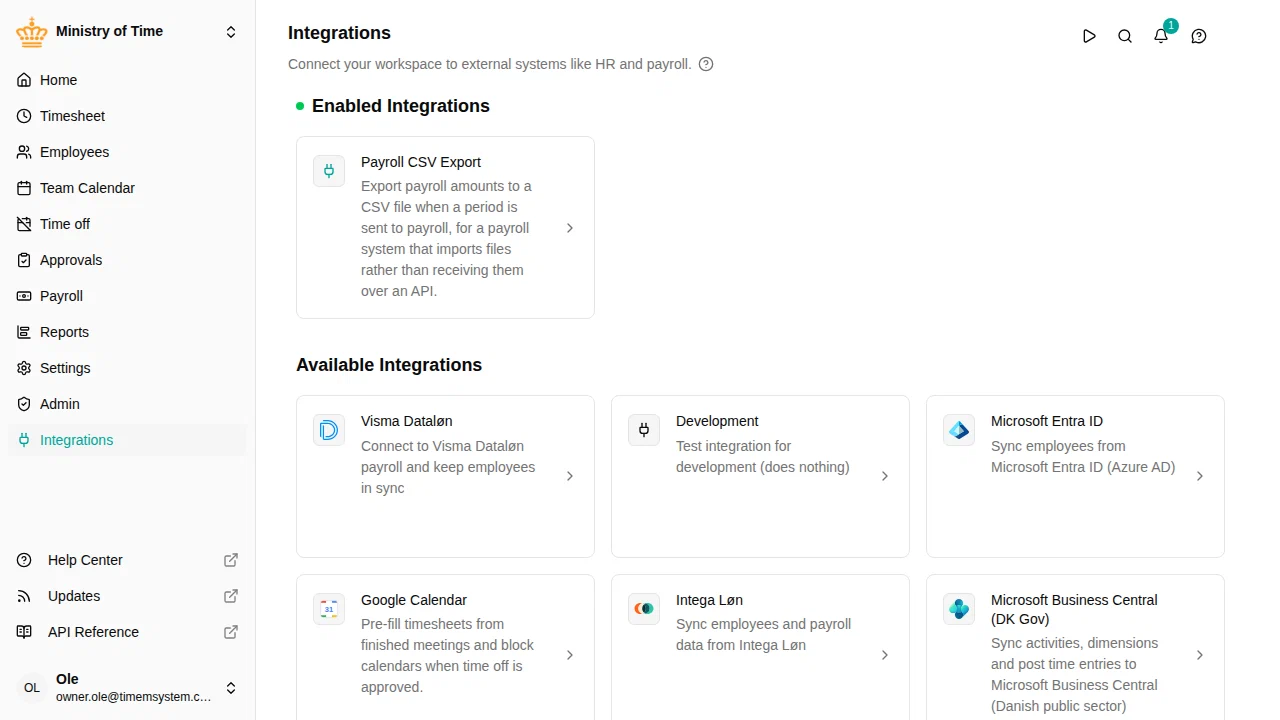
Available integrations
Integration overview
The integrations page shows all available integrations with their current status. Each integration displays whether it is turned on or off.
Additive sync
Integrations are currently additive only — they create and update records in mTime but do not delete them. If an employee is removed from the source system, they will remain in mTime and can be managed manually.
Turning off an integration
If you no longer need an integration:
When you turn off an integration, you’ll be asked whether to keep or remove the attributes that were added by the integration. If you tick Keep attribute definitions , the previously read-only attributes become editable custom attributes.
Troubleshooting
| Problem | Solution |
|---|---|
| SHR says “Your workspace has not been set up for SHR yet” | Your SHR feed URL needs to be allowed for your workspace. Contact mTime support. |
| Employees missing after sync | Check that the employees exist in the source system and meet any active filters (e.g., VOM consultant/contractor settings). |
| Changes in HR system not appearing | Click Sync Now on the integration, or wait for the next scheduled one. For VOM, check that live updates are turned on. |
| Read-only attributes are wrong | Correct the data in the source system (SHR or Visma), then trigger a sync. |
For integration-specific details, see SHR (Statens HR) or VOM (Visma).