Check in/out
See every check in/out registration over a period, one row per check-in.

Overview
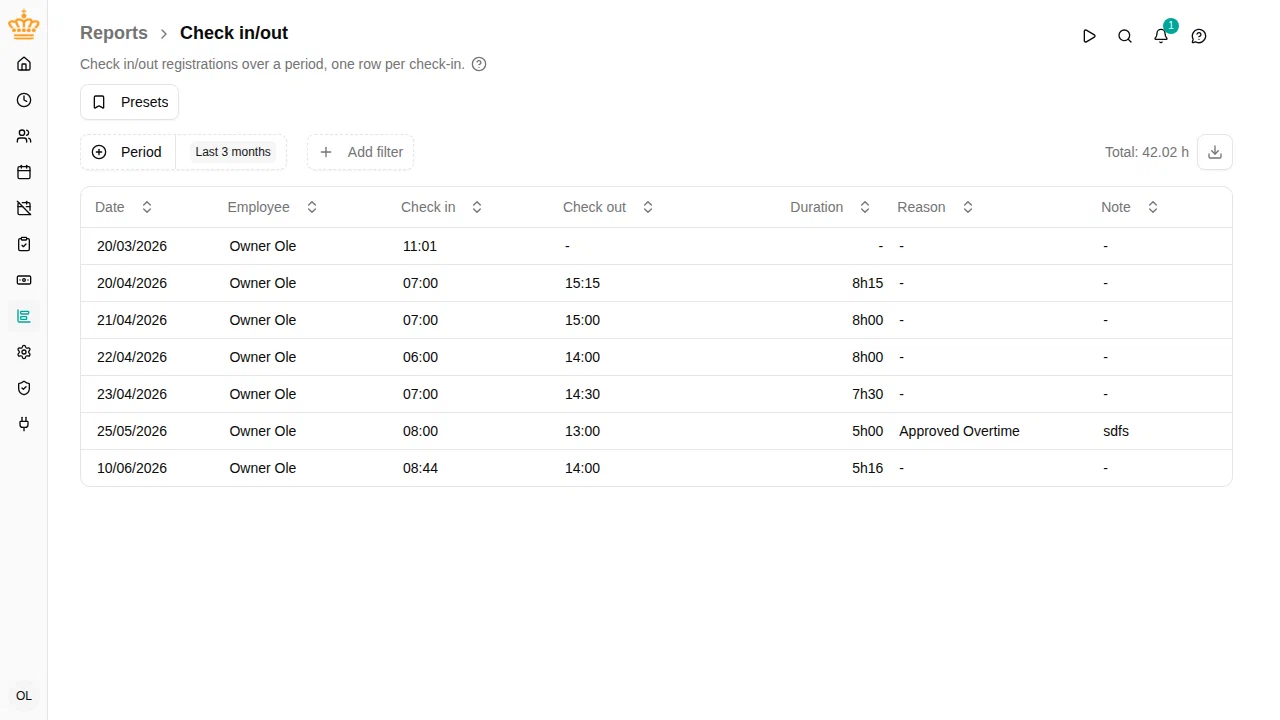
The Check in/out report lists raw check in/out registrations — typically made from the kiosk or the timesheet — so you can verify presence and catch missing check-outs. Each row shows:
- Date and Employee
- Country the day was worked in, if your workspace uses work countries
- Check in and Check out — the check-in and check-out times
- Duration of the registration
- Reason and Note , if the employee provided them
Navigate to in the sidebar.
Open registrations
If an employee is still checked in — or forgot to check out — the row shows a dash instead of a check-out time and duration. Open registrations are listed rather than hidden, so forgotten check-outs are easy to spot and follow up on.
Filtering
The report uses the common filters: period, org unit, manager, and employment terms. The total above the table shows the summed duration of all completed registrations in the current view.
Exporting
Click the download button at the right of the filter bar (Export to Excel
) to download the current view as an .xlsx file.